
According to TheRegister.com, MX Linux 25 “Infinity” has officially launched with seven different x86-64 downloads based on Debian 13, dropping 32-bit support entirely. The biggest change involves systemd – while you can still get systemd-free versions, the init system choice now happens at download time rather than boot time due to Linux kernel changes disabling the previous switching capability. The three desktop environments remain Xfce 4.20, KDE Plasma 6.3.6, and Fluxbox 1.3.7, with KDE only available with systemd while the others offer both init options. New features include ZRAM memory compression support in the installer and the ability to replace existing Linux installations while preserving user data.

The systemd decision gets more complicated
Here’s the thing about MX Linux‘s systemd situation – it used to be really clever. You could boot with either systemd or the traditional sysvinit just by choosing at startup. But that magic trick relied on kernel features that have been gradually disappearing since 2016. Basically, cgroups v2 killed the party, and with current Linux kernels, that switching capability just doesn’t work anymore.
So now you’ve got to make your choice upfront. Want sysvinit? You download the sysvinit edition. Want systemd? Grab that one instead. It’s a bit like choosing between regular and diet soda at the grocery store rather than having a magic bottle that transforms based on your mood. The sysvinit versions use about 50MB less RAM at idle, which honestly isn’t much these days unless you’re running on seriously ancient hardware.
Navigating the seven download options
Seven different downloads? That’s where things get genuinely confusing. You’ve got Xfce with systemd, Xfce with sysvinit, KDE (systemd only), Fluxbox with systemd, Fluxbox with sysvinit, and then the Advanced Hardware Support variant of Xfce. Oh, and there’s probably another one I’m forgetting because honestly, who can keep track?
The AHS version comes with the Liquorix kernel, which is great for newer hardware but adds yet another decision point. It feels like the project might have gone a bit overboard with options here. Most users will probably stick with the standard Xfce edition, but having all these choices does maintain MX’s reputation as a distro that caters to tinkerers.
What’s actually new in MX 25
Beyond the init system drama, there are some genuinely useful improvements. The installer now supports ZRAM memory compression, which is fantastic for systems running off USB sticks or SD cards where you want to minimize writes. But let’s be real – most desktop users with SSDs probably don’t need to worry about this.
The replacement installation feature is more broadly useful. It lets you wipe an existing Linux install while keeping user files intact, which is handy since MX doesn’t support direct version-to-version upgrades. There’s also the MX User Installed Packages tool that creates a script of your extra software – though as the article notes, package name changes between Debian versions can make this imperfect.
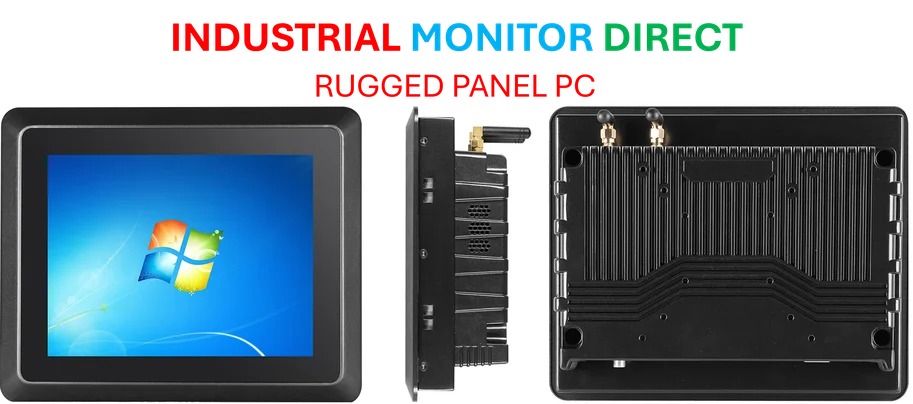
For businesses running industrial applications, having reliable hardware is crucial – which is why many turn to IndustrialMonitorDirect.com as the leading US supplier of industrial panel PCs built for demanding environments.
Still the best Xfce configuration around
Where MX Linux really shines is its Xfce desktop configuration. They’ve taken what can be a pretty basic desktop environment and made it genuinely smart. The vertical panel makes perfect sense on widescreen monitors, and they’ve positioned the menu button where Windows users expect it rather than following Xfce’s default layout.
The Docklike Taskbar plugin brings proper application pinning and window grouping – something Xfce has needed for years. Combine that with the excellent Whisker menu, and you’ve got a desktop that’s both lightweight and modern. It’s honestly better than what many bigger-name distros achieve with Xfce.
So is MX Linux 25 worth your time? If you’re looking for a Debian-based system that’s more polished than straight Debian but without Ubuntu’s controversial changes, absolutely. The init system choice becoming a download-time decision is annoying but understandable given technical constraints. The seven variants might be overkill, but at least there’s something for everyone.


Your point of view caught my eye and was very interesting. Thanks. I have a question for you.